

Act Fast: Why Limited Stock Means You Should Move Now
Seen the alert for limited stock on the Samsung Galaxy Watch? You should treat that as a trigger — scarcity often drives prices up and options down fast. When supply drops, promotions vanish and your preferred color or size can disappear overnight.
Decide quickly, verify authenticity, and prioritize sellers with clear return and warranty policies. This guide shows what to check, how to buy fast without getting scammed, and how to protect your long-term value after purchase and resale value later.

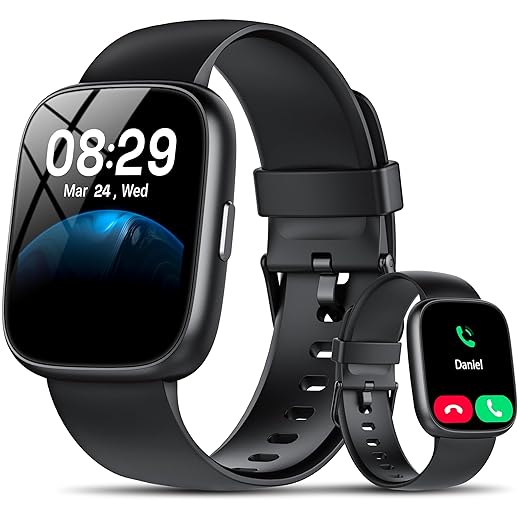


What ‘Limited Stock’ Really Means and How It Impacts You
How “limited stock” gets created
Retailers flag items as limited for several reasons: a small promotional batch (special colors, carrier bundles), regional allocations after a new launch, or upstream supply hiccups like chip or component constraints. In practice that means your preferred SKU — say a stainless steel LTE model or a special strap bundle — might be the only one held back for that buyer segment. Big launches often see specific SKUs evaporate in hours; treat the label as a real signal, not just marketing fluff.
What scarcity actually changes for you
Scarcity alters more than availability:
- Price volatility: limited supply + high demand can spike resale or marketplace prices within days.
- Resale potential: a sold-out color can command a premium, but timing matters — prices may peak fast and then normalize.
- Warranty & service: buying from non-authorized sellers can complicate warranty claims or repairs; an authorized purchase keeps service straightforward.
Quick signal checks to decide now vs. wait
- Look for inventory timestamps (last updated, “low stock” numbers).
- Confirm seller credibility: authorized dealer listing, verified reviews, clear return policy.
- Check shipping cutoff windows: same-day fulfillment windows mean you’ll actually get it sooner.
- Ask for exact SKU/serial confirmation if buying online; no serial, higher risk.
These checks will help you decide whether to lock in the Galaxy Watch now or hold out for restock — next, we’ll examine the specific features that make locking one in worthwhile.
Key Features and Specs That Make This Galaxy Watch Worth Snapping Up
Display & build — what to prioritize
You want a screen that’s readable outdoors and comfortable for all-day wear. Super AMOLED panels deliver punchy contrast and deep blacks — helpful for quick glances during a run or under bright sun. Size matters: 44mm is easier to tap and read; a smaller face favors sleep comfort. Pick materials (aluminum vs. stainless steel) based on durability vs. weight.
Processor & performance
A snappy chipset makes UI animations, health-tracking math, and voice replies feel instant. If you use navigation, music streaming, or LTE untethered from your phone, prioritize RAM and a recent SoC. For basic notifications and fitness, a previous-gen processor is often fine.
Health sensors that actually matter
Focus on accurate optical heart rate, continuous SpO2, and reliable accelerometer/GPS fusion. ECG and body composition sensors are nice extras if you’ll use them clinically. For runners, GPS accuracy and satellite support (GPS/GLONASS/Galileo) are non‑negotiable.
Battery, connectivity & daily practicality
Look for multi-day battery claims in real-world reviews — high-brightness and LTE can halve advertised life. Decide if LTE is worth the monthly fee: it frees you from your phone but reduces battery life. Ensure solid Bluetooth/Wi‑Fi reliability for seamless syncing.
OS compatibility & app ecosystem
Make sure the watch runs a supported OS version and pairs cleanly with your phone (Android vs. iOS differences). Check key app availability (music, payments, third‑party fitness apps) before buying.
Prioritize: display readability, GPS accuracy, and battery life. Negotiate: fancy materials, niche sensors, or always-on LTE if you rarely leave your phone behind. Next, learn how to confirm your limited-stock unit is authentic and safe to buy.
How to Verify Authentic Limited Stock and Avoid Scams
When limited stock triggers FOMO, scammers follow. Use this checklist-style approach so you buy real hardware and protect your money.
Seller & listing checks
- Check seller reputation: prefer official Samsung, authorized retailers, or high-rated marketplace sellers with recent history.
- Read recent reviews and ask questions — sellers who dodge specifics are red flags.
- Verify return, warranty, and repair policies stated in the listing; screenshots of “official” warranty claims can be forged.
- Watch price anomalies: a steep discount on a newly released Galaxy Watch is often too good to be true.
SKU, serial and hardware verification
- Confirm the SKU/part number on Samsung’s site for the exact model (e.g., Galaxy Watch8 44mm). Ask the seller for the serial/IMEI and verify it via Samsung support.
- Inspect packaging and accessories: misspelled labels, wrong charger type, or flimsy bands are common counterfeit signs — one buyer got a Watch clone with a micro‑USB cable instead of USB‑C.
- Do quick technical checks: ensure the watch boots to Samsung’s setup flow, shows legitimate firmware updates in the companion app, and is factory‑reset with activation lock/FPC disabled before transfer.
Payment, shipping, and data safety
- Use credit card or PayPal for buyer protection; avoid wire transfers or gift cards.
- Require tracked shipping and signature on delivery.
- Never provide your Samsung account password or accept a watch that’s still linked to another account.
Next you’ll learn practical buying strategies to lock in your unit quickly and safely.
Practical Buying Strategies to Lock In Your Watch Quickly
Prefer the right seller
Go to Samsung.com first for guaranteed inventory and bundled warranty; if sold out, pivot to trusted retailers (Best Buy, Amazon, Verizon, AT&T) or certified resellers. Example: carriers sometimes get exclusive colorways or inventory drops after the manufacturer sells out — check both.
Speed up checkout: autofill and saved payments
Have your account pre‑created and verified on target sites. Use:
- Browser autofill (Chrome/Edge) or password managers (1Password) for addresses.
- Mobile wallets (Apple Pay / Google Pay) or one‑click checkout saved cards with CVV on hand.Anecdote: shoppers who prefill shipping + payment often finish checkout under 30 seconds during flash drops.
Use cart alerts, waitlists, and preorder holds
Enable back-in-stock alerts and join waitlists; set browser push notifications for retailer pages. For preorders, choose “reserve” or “place order” options that lock inventory rather than email-only holds.
Payment options that reduce cancellation risk
Prefer credit cards (Visa/Mastercard) for chargeback protection; use PayPal for buyer protection. BNPL (Affirm) is convenient but can complicate immediate chargebacks or refunds — use it only with well-reviewed sellers.
Shipping choices & insurance
Select tracked, expedited shipping with signature required. Add carrier insurance (UPS/FedEx) or third‑party coverage for high‑value items. If timely delivery matters, choose next‑day or two‑day — cheaper slow shipping risks reroutes and delays during high‑demand windows.
After Purchase: Setup, Warranty, and Maximizing Long-Term Value
Priority setup checklist
Move fast — first-hour setup saves headaches later. Do these in order:
- Fully charge the watch, then install the latest firmware via the Galaxy Wearable app.
- Pair with your phone and migrate health data (Samsung Health or Google Fit export/import).
- Enable security: set a PIN on the watch, require phone unlock for payments, and activate Find My Watch/Find My Mobile.
- Install essential apps and test sensors (heart rate, GPS, accelerometer) with a short walk or workout.
Warranty, DOA inspection, and documentation
Inspect immediately (ideally within 48 hours): check screen, touch response, mic/speaker, charger contact, and run a quick call or SOS. If anything’s off, record a short video and contact the seller — that evidence speeds claims.Register warranty on Samsung.com right away and consider an extended protection plan from the retailer or SquareTrade if you’re clumsy or travel a lot. Save:
- Order receipt, serial/IMEI, and screenshots of registration.
- Photos/video of the unboxing and any defects for claims.
Preserve resale value & long-term care
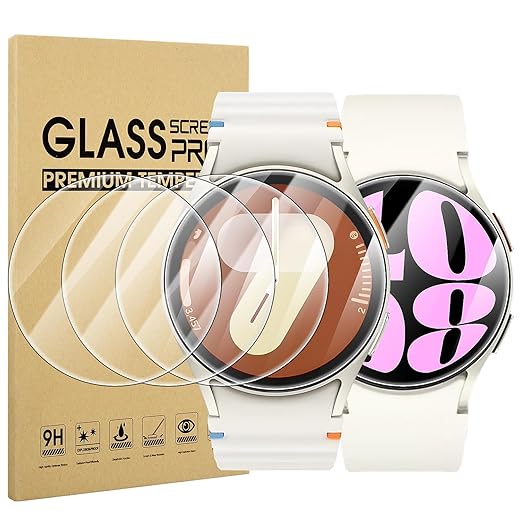
Use screen protectors and a rubber or leather band to reduce wear; keep original box and accessories. Practice battery-smart habits: avoid deep discharges, use moderate brightness, and update firmware to benefit battery optimizations. Before selling, unpair and perform a factory reset, clean the case/bands, and include original packaging — buyers pay premium for a complete kit.
Up next: the Conclusion section will help you finalize the decision and act fast, smart, and protected.
Make Your Move — Fast, Smart, and Protected
Use the verification checklist, prioritize the specs that matter to you, and act with checkout speed—saved cards, autofill, and quick carrier/retailer selection. Confirm authenticity before paying, then secure warranty and complete setup immediately. Back up settings, register your device, and keep purchase records. With these steps you’ll lock in a limited-stock Galaxy Watch confidently, minimize risk, and maximize long-term value.
Claim yours before it’s gone. Act now.
Author

Like this deal? Get deals like this every week.