

Which flagship actually delivers the jaw‑dropping HDR, deeper blacks and sub‑millisecond responsiveness your games and movies deserve?
You’re choosing between two 85″ mini‑LED 2022 flagships. This guide zeroes in on HDR tone‑mapping, contrast and black‑control, plus latency and frame‑pacing for consoles and PC, helping you match each TV’s performance to your viewing and gaming needs and preferences.
Everyday Brightness

8.9
If you watch content in well-lit rooms or play fast-paced games, you’ll appreciate the extreme brightness and responsive game modes. The Mini LED matrix and Samsung processing deliver punchy HDR highlights and accurate upscaling, though you’ll trade off Dolby Vision for HDR10+/Samsung’s HDR pipeline.
Cinematic Precision
9
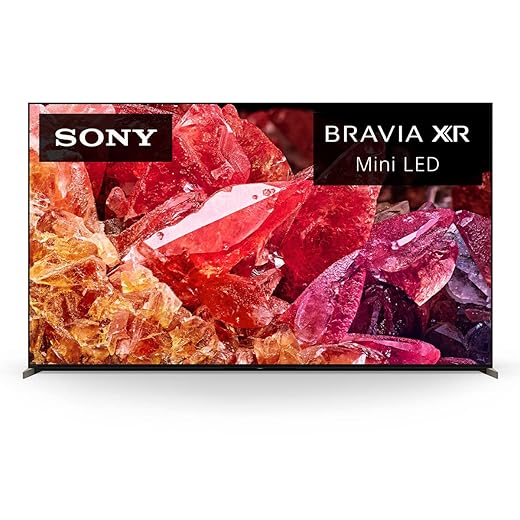
You’ll get superb tonal accuracy and exceptional contrast for cinematic HDR thanks to Sony’s XR processing and precision Mini LED backlight. The TV is tuned for natural color and motion, making it ideal if you prioritize cinematic picture fidelity and PS5-optimized gaming features.
Samsung QN90B Neo
- HDR Performance – 9.2
- Contrast & Local Dimming – 8.6
- Gaming & Latency – 9
- Motion & Processing – 8.8
Sony X95K BRAVIA
- HDR Performance – 9
- Contrast & Local Dimming – 9.2
- Gaming & Latency – 8.6
- Motion & Processing – 9.2
Samsung QN90B Neo
Why You’ll Love It
- Exceptional peak brightness for HDR in bright rooms
- Strong gaming feature set with low latency and 4K/120 support
- Effective anti-glare layer and wide viewing angles
- Object Tracking Sound+ and Dolby Atmos improve onboard audio
Sony X95K BRAVIA
Why You’ll Love It
- Outstanding contrast control and deep blacks from XR Backlight Master Drive
- Cognitive Processor XR yields highly natural colors and motion handling
- Excellent onboard audio performance and PS5-oriented gaming features
Samsung QN90B Neo
Cons
- No Dolby Vision support (HDR10 / HDR10+ instead)
- Some reflective/polished surfaces can produce prismatic reflections
Sony X95K BRAVIA
Cons
- Can exhibit localized blooming at extreme peak brightness
- Heavier set with potentially more noticeable blooming than OLED in dark rooms
HDR performance and tone‑mapping: Quantum HDR 32x vs Dolby Vision
Samsung QN90B — Quantum HDR 32x with HDR10/HDR10+
Samsung’s Quantum HDR 32x pairs Quantum Dot color with a dense mini‑LED array and aggressive peak‑light control. It accepts HDR10 and HDR10+ (dynamic metadata) and leans on its Neo Quantum Processor and high peak output to push specular highlights very bright. HDR10+ scenes can be tone‑mapped scene‑by‑scene, so bright highlights are often preserved at the expense of some mid‑tone contrast when the mapper prioritizes peak luminance. You’ll notice brilliant specular pop in streaming Dolby Atmos trailers and HDR10+ demos, especially in bright rooms.


Sony X95K — Dolby Vision and BRAVIA XR tone‑mapping
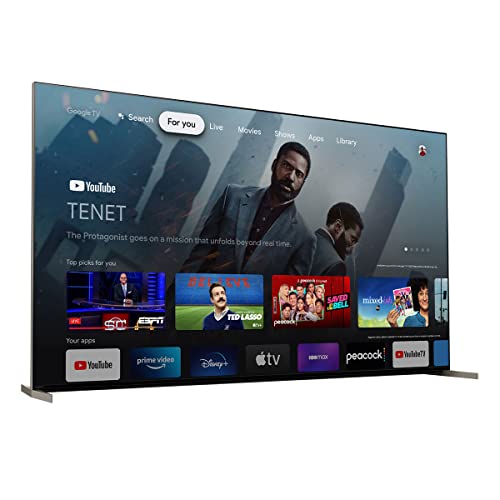
Sony implements Dolby Vision dynamic metadata natively and uses the Cognitive Processor XR to map brightness and color volume more conservatively. BRAVIA XR’s tone‑mapping emphasizes highlight retention without blowing out mid‑range detail, and XR Backlight Master Drive refines zone control to keep color saturation under control. On Dolby Vision streams and many Dolby Vision‑enabled UHD titles you’ll see smoother highlight roll‑off and more natural color volume.
Practical impact and quick tips
- Streaming: Dolby Vision (Sony) wins on compatible titles; Samsung matches brightness on HDR10/HDR10+ content.
- Ultra HD Blu‑ray: many discs are HDR10; both perform well — Sony better at preserving midtones on Dolby Vision discs.
- HDR gaming: both map HDR10; Sony’s PS5 integration gives automated tone adjustments.
Recommended quick settings to reduce clipping and preserve detail:
- Use “Movie”/“Filmmaker” mode for accurate baseline.
- Enable dynamic tone‑mapping (HDR10+ on Samsung, Dolby Vision/Auto Tone on Sony) when available.
- Lower global contrast or peak brightness slightly if highlights clip.
- Reduce local dimming aggressiveness if shadow crush appears.
Contrast, black uniformity and blooming: zone control vs light shaping
Mini‑LED zone control vs algorithmic light shaping
Samsung’s Neo Quantum Matrix drives thousands of mini‑LEDs with aggressive local‑dimming boundaries: it uses dense physical zones plus 14‑bit processing to slam down local backlight for deep measured blacks and very high peak output. That aggressive gating gives strong average contrast but can produce visible halos around small, very bright objects.


Sony’s XR Backlight Master Drive combines high‑density zones with algorithmic “light‑shaping” from the Cognitive Processor XR — it dynamically redistributes light to preserve mid‑tones and reduce hard edges between zones. You’ll usually see smoother roll‑off and fewer hard micro‑blooms, but at very high peaks some localized haloing still appears.
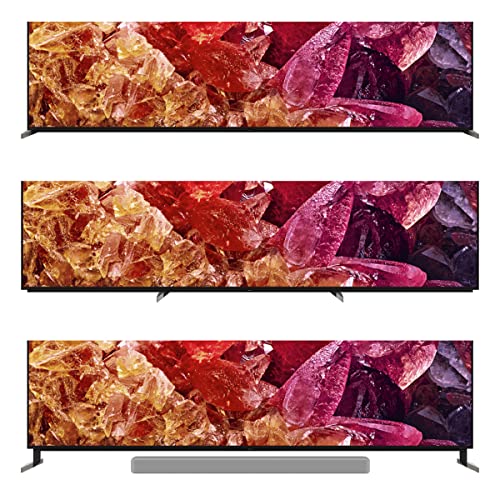
Anti‑glare, viewing angle and perceived contrast
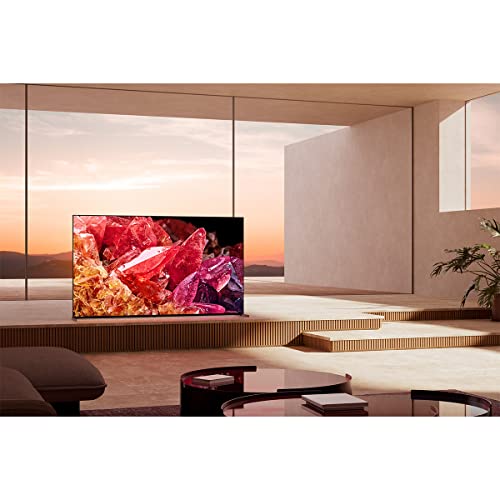
Samsung’s Ultra Viewing Angle + anti‑glare preserves contrast and color off‑axis and in bright rooms, so overall blacks look better from more seats. Sony’s anti‑reflective coating and XR processing retain in‑room perceived contrast but will sometimes show a touch more local bloom in a fan‑shaped viewing spread.
Trade‑offs and quick mitigations
- Expect brighter HDR highlights on Samsung; expect slightly cleaner zone transitions on Sony.
- To reduce haloing: switch to Movie/Filmmaker, lower local‑dimming strength, reduce peak/contrast sliders.
- Use each TV’s calibration or “auto” tone‑mapping features (Samsung Smart Calibration, Sony calibrated modes) to balance peak pop vs micro‑bloom.
Latency, frame pacing and gaming features: which is better for consoles and PC?
HDMI 2.1, 4K@120Hz and VRR support
Both the Samsung QN90B and Sony X95K offer HDMI 2.1-capable inputs with 4K@120Hz, ALLM and VRR. Samsung advertises FreeSync support; Sony lists VRR and PS5-focused features. In practice you get the same basic high-bandwidth pathway for consoles and high‑fps PCs — check you use 48Gbps-rated cables and the TV’s “Enhanced” HDMI input.
Frame pacing and input lag
Sony quotes input lag as low as ~8.5 ms (Game Mode); the QN90B typically measures in the single‑digit ms range as well. VRR is the key to smooth frame pacing on both sets — it removes micro‑stutter from mismatched GPU/HZ combos. Hardware frame‑generation or interpolation increases perceived motion clarity but adds latency.
Motion interpolation and settings
Turn off motion interpolation/frame smoothing (Auto Motion Plus / Motionflow / Motion Clarity) for competitive play — it raises input lag. For cinematic single‑player sessions you can enable mild interpolation, but re‑enable Game Mode and VRR for multiplayer.
Console features and menus
Sony adds PS5 conveniences: Auto HDR Tone Mapping and Auto Genre Picture Switch plus a consolidated Game Menu. Samsung offers a robust Game Bar and low‑latency Game Mode with VRR/FreeSync support.
How you should verify on your setup
- Enable Game Mode and set HDMI input to Enhanced/HDMI 2.1.
- Disable motion smoothing and other post‑processing.
- Enable ALLM/VRR on both TV and console/PC.
- Measure input lag with a Leo Bodnar tester or a frame generator + high‑speed camera.
- Test with fixed 120Hz, 60Hz and VRR scenarios to confirm frame pacing.
Feature Comparison Chart
| Features | Samsung QN90B Neo | Sony X95K BRAVIA |
|---|---|---|
| Panel Type | Neo QLED (Mini LED) | Mini LED (XR Backlight Master Drive) |
| Processor | Neo Quantum Processor 4K | Cognitive Processor XR |
| Backlight / Local Dimming Tech | Quantum Matrix with dense Mini LED zones | Thousands of high-density Mini LEDs with precise zone control |
| HDR Support | HDR10, HDR10+ (no Dolby Vision) | HDR10, Dolby Vision, HLG |
| Dolby Vision | No | Yes |
| Dolby Atmos / Object Audio | Dolby Atmos + Object Tracking Sound+ | Dolby Atmos; front-firing tweeters + subwoofer (model-dependent) |
| HDMI 2.1 Features | 4K/120, VRR, ALLM (full-featured HDMI 2.1 inputs) | 4K/120, VRR, ALLM (features specified on HDMI 2.1 ports) |
| Input Lag (Game Mode) | ~8–10 ms (4K/120Hz, Game Mode) | ~8.5 ms (4K/120Hz, Game Mode) |
| Peak Brightness | Very high — optimized for daylight HDR (excellent highlights) | Very high — excellent HDR peak performance (bright highlights) |
| Viewing Angle / Anti-Glare | Ultra Viewing Angle layer + anti-glare treatment | Wide viewing angles with anti-reflective screen coating |
| Smart OS | Tizen (Samsung Smart Hub, multiple voice assistants) | Google TV (Google Assistant, BRAVIA CORE integration) |
| Audio Features | Built-in multi-channel speakers, Q-Symphony compatible | Acoustic Multi-Audio/front-firing speakers + subwoofer |
| Calibration & Picture Tools | Smart Calibration, Eye Comfort Mode, advanced picture presets | Advanced calibration, BRAVIA CORE, Netflix Calibrated Mode |
| Ports (HDMI / USB) | 4x HDMI, multiple USB | 4x HDMI, multiple USB |
| Screen Size / Year | 85″ / 2022 | 85″ / 2022 |
| Approx. Price | $$$ | $$ |
| Weight | ~125 lbs (exact model-dependent) | ~120.5 lbs (exact model-dependent) |
| Power Consumption | High under peak brightness (model-rated wattage) | High under peak HDR usage (model-rated wattage) |
| Remote | Solar-panel rechargeable remote | Standard Google TV remote (batteries included) |
System features, room fit and practical recommendations
OS, apps and UX responsiveness
Tizen (Samsung) is snappy, optimized for TV navigation and Samsung services; it boots fast and surfaces Samsung TV Plus and partnered apps. Google TV (Sony) has wider third‑party app availability, tighter Play Store/Chromecast/Android integration and native Google Assistant. Expect slightly heavier UI transitions on Google TV but broader app support and better Wear/Android ecosystem ties.
Voice, connectivity and latency
Samsung: Bixby, Amazon Alexa and Google Assistant built‑in. Sony: Google Assistant built in; Alexa works via skill/device. Both provide Bluetooth audio (headphones/remote pairing), eARC for full Dolby Atmos passthrough, ARC, and HDMI 2.1 (4K@120/VRR/ALLM). UX navigation latency is negligible compared to input lag; still keep Game Mode on for gaming.
Onboard audio handling
Samsung’s Object Tracking Sound+ creates moving, localized effects from panel‑aligned drivers and includes Dolby Atmos decoding for immersive height cues. Sony decodes Dolby Atmos and relies on XR audio processing to anchor sound to the picture; both benefit significantly from a matched soundbar (Q‑Symphony on Samsung, BRAVIA Soundbars/HDMI eARC on Sony).
Room fit and buyer guidance
- Bright living room / glare control: pick the Samsung QN90B — superior peak brightness, anti‑glare layer and Ultra Viewing Angle.
- Dolby Vision fidelity & PS5 ecosystem: pick the Sony X95K — true Dolby Vision, PlayStation auto features, Google TV integration.
- Wide seating or mixed viewing: both handle off‑axis well; Samsung slightly better for daylight.
Quick calibration & mounting tips
- Enable Smart Calibration (Samsung) or use BRAVIA calibration presets (Sony).
- Set HDMI inputs to Enhanced, enable eARC on AVR/soundbar.
- Wall‑mount with slight downward tilt, avoid direct window reflections, add bias lighting to raise perceived black depth.
Final verdict — match the tech to your priorities
Overall winner: Samsung QN90B. It delivers higher perceived brightness, aggressive anti glare, punchy HDR and lower latency — ideal for bright rooms, sports and competitive gaming where contrast and responsiveness matter.
Choose the Sony X95K if you prioritize Dolby Vision, filmic color fidelity and PS5 centered features for a cinematic experience; otherwise pick Samsung for practical real world performance. Which workflow wins for you? If Dolby Vision is essential, the X95K becomes the clear overall cinematic choice despite slightly lower raw peak luminance.
Author

Like this deal? Get deals like this every week.

