
Bright, contrast‑rich Mini‑LED with gaming chops—closer to OLED, but not without tradeoffs.
If you want deep blacks, wide color and blistering HDR brightness for movies and gaming, you’re often stuck between OLED’s perfect contrast (but burn‑in risk and limited peak brightness) and LED’s brighter but less contrasty output. Your problem: get near‑OLED picture quality without the long‑term wear and sacrifice in peak HDR performance.
The LG 65QNED90TUA aims to solve that by combining Mini‑LED with Precision Dimming Pro+, a Quantum Dot + NanoCell color stack, and the a8 AI Processor 4K—plus a native 120 Hz panel with VRR/ALLM/FreeSync for responsive gaming. It pushes LED performance much closer to OLED and bundles a 2‑year CPS protection pack, though you should expect a premium price and watch for haloing in extreme high‑contrast scenes.
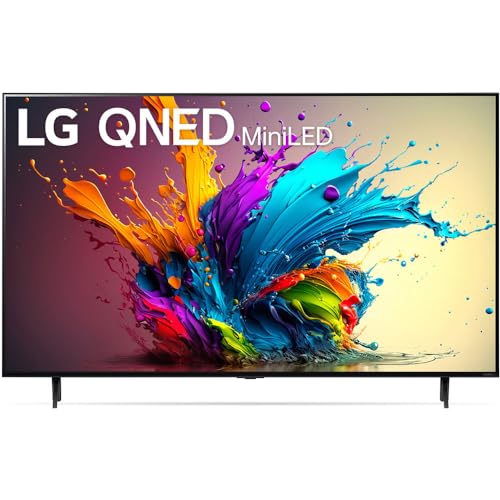
LG 65QNED90TUA 65" QNED Mini LED TV

You get a bright, contrast-rich Mini LED picture that pushes LED performance much closer to OLED without the burn-in risk. It’s a compelling choice for mixed use—movies, HDR content and gaming—though you should accept a premium price and be mindful of potential haloing in some scenes.
- Picture Quality & Contrast – 9.2
- HDR Color & Tone Mapping – 9
- Gaming Performance & Latency – 8.8
- Smart OS, Connectivity & Audio – 8.4
Pros
- High peak brightness and deep blacks from Mini LED with Precision Dimming Pro+
- Quantum Dot + NanoCell layer for expanded, accurate color reproduction
- a8 AI Processor 4K with adaptive picture and sound optimization
- 120 Hz native panel with VRR, ALLM and FreeSync for responsive gaming
- Dolby Vision & Dolby Atmos support with built-in virtualized surround
- Includes 2-year enhanced protection pack (CPS) for extra peace of mind
Cons
- Premium price point compared with mainstream LED TVs
- Possible haloing / blooming in extreme high-contrast scenes
- Occasional reports of remote/software issues — check firmware and support
Overview
You’re looking at a 65-inch Mini LED TV that aims to bridge the gap between high-end LED performance and OLED-level blacks. This model combines Quantum Dot color enhancement with LG’s NanoCell layer and a high-density Mini LED backlight array to deliver aggressive peak brightness, wider color volume and refined local dimming. The a8 AI Processor 4K runs picture and audio optimization in real time, and webOS 24 handles streaming and smart home integration.
Industrial Design & Build Quality
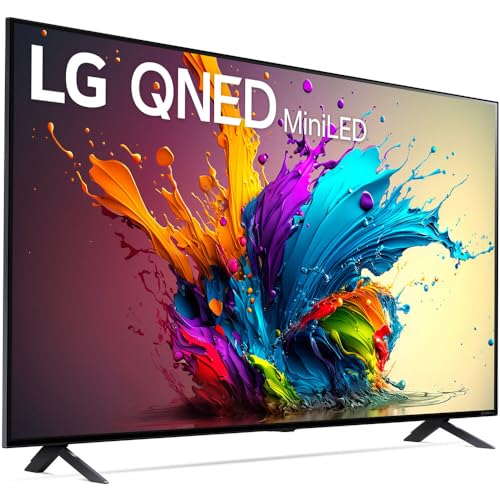
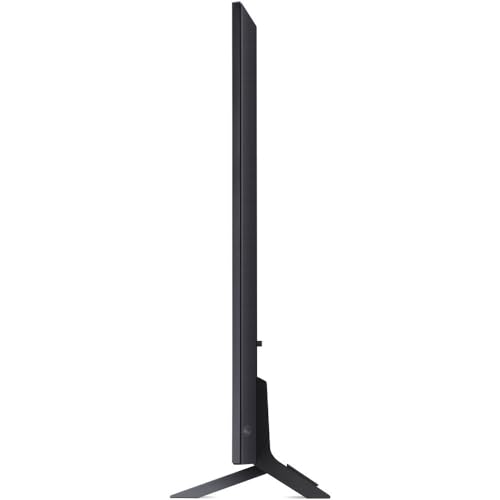
The chassis maintains a modern, low-profile footprint engineered for living room placement or wall mounting. You’ll notice a slim bezel that minimizes distraction and a stable tabletop stand. Materials and fit-and-finish are consistent with LG’s premium lineup: matte surfaces to reduce reflections and a reinforced back panel to handle the weight of the denser Mini LED array.
Key design points:
- Slim bezel with matte anti-glare finish
- Wide tabletop stand with cable-routing channel
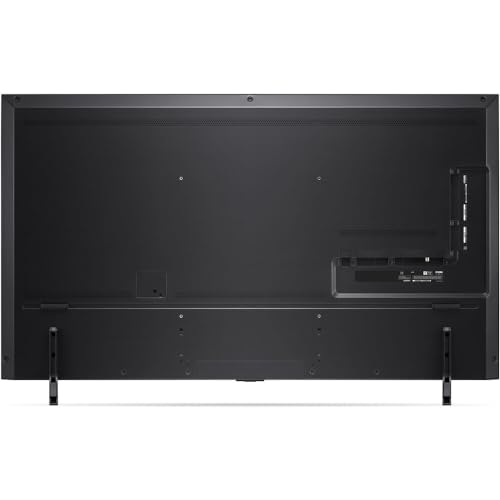
- VESA-compatible mounting pattern for wall installation
Panel, Backlight & Local Dimming Architecture
This set uses a 4K Mini LED array with hundreds of independently controlled zones. Mini LEDs are approximately 40x smaller than conventional LEDs, which lets the backlight form finer bloom boundaries and achieve higher peak luminance. LG’s Precision Dimming Pro+ tightens the control algorithm to reduce halo artifacts and preserve shadow detail.
Technical highlights:
- Mini LED backlight with multi-hundred local dimming zones
- 120 Hz native refresh rate for smoother motion
- Precision Dimming Pro+ for improved zone control
Image Processing: a8 AI Processor 4K
The a8 AI Processor 4K applies scene detection, dynamic tone mapping and noise reduction. It analyzes incoming frames and applies per-scene improvements to contrast, color saturation, and sharpening. You’ll see advantages in mixed-content playback where both deep blacks and specular highlights are present.
Processing features include:
- Real-time scene/adaptive tone mapping
- Upscaling of non-4K sources with edge and texture enhancement
- Motion compensation tuned to 120 Hz native panel
HDR, Color & Calibration
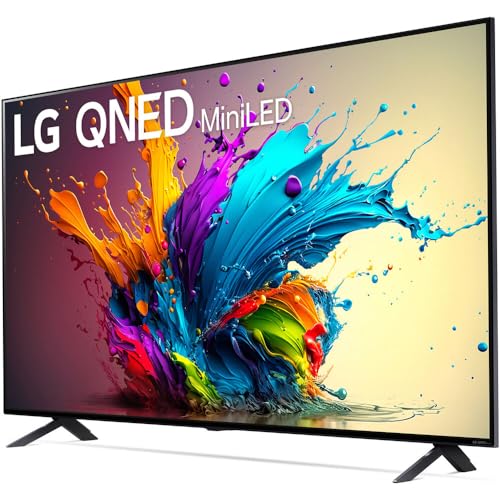
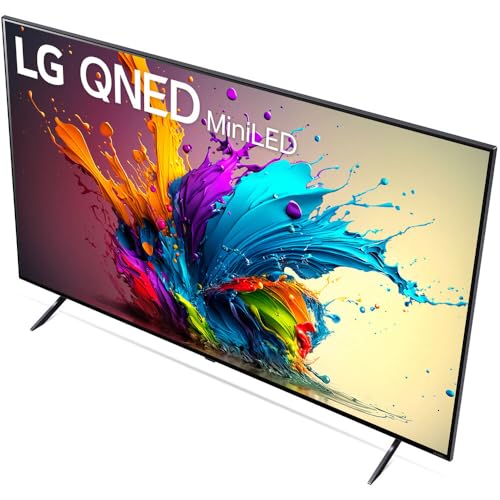
The combination of Quantum Dot and a NanoCell layer expands color volume and reduces unwanted spectral leakage. Dolby Vision compatibility and HDR10/HDR10+ (where supported by sources) enable dynamic metadata handling, improving tone mapping on a per-frame basis. Out of the box, the picture tends to favor a lively, slightly punchy profile suitable for HDR content, but you can dial in more accuracy with the advanced picture controls.
Calibration tips:
- Use Filmmaker Mode for director-intended color and motion.
- Reduce local contrast slightly if you notice halos in high-contrast scenes.
- Use the expert controls to set native white point and gamma for critical viewing.
Audio Capabilities
You get a built-in 2.2-channel system that delivers 40W total output. LG pairs this with AI Sound Pro which upmixes stereo to a virtualized 5.1.2 configuration, and Dolby Atmos passthrough is supported for compatible sources. For serious listening you’ll still want a dedicated soundbar or AVR, but the onboard system is competent for daily viewing.
Audio features:
- 2.2-channel 40W built-in speakers
- AI Sound Pro virtual upmixing to 5.1.2
- Bluetooth audio and LG Sound Sync for external speaker pairing
Smart Platform & Ecosystem
webOS 24 is accessible and responsive, with app access to major streaming services and LG Channels for free content. Voice assistants (Google Assistant, Amazon Alexa) and Apple AirPlay 2 / HomeKit compatibility let you control the set and stream content from your devices. The platform also supports WiSA-ready wireless audio and LG’s ThinQ ecosystem.
Key smart features:
- webOS 24 with app marketplace
- Built-in Google Assistant and Alexa compatibility
- AirPlay 2 and HomeKit support
Gaming: Latency & Variable Refresh
If gaming is important, the 120 Hz native refresh rate plus VRR, ALLM and AMD FreeSync give you low-latency input and smooth frame pacing on supported consoles and GPUs. Game Optimizer and an on-screen Game Dashboard provide quick tuning for black stabilizer, input lag display and VRR status. Expect very competitive input lag numbers in Game Mode, making this a strong choice for console and PC gamers seeking high-fidelity visuals.
Gaming advantages:
- 120 Hz native panel with VRR and FreeSync
- ALLM for low-latency automatic mode switching
- Game Optimizer UI for fast settings adjustments
Connectivity & I/O
Below is a quick reference table to the expected physical connectivity and supported standards. Confirm exact port layout on your unit before purchase if you need a specific configuration.
| Port / Feature | Notes |
|---|---|
| HDMI 2.1 (x4) | Supports 4K@120Hz, VRR, ALLM; check specific HDMI port labeling for full bandwidth |
| Optical Audio Out | For legacy AVR connections |
| Ethernet (RJ-45) | Wired network access for stable streaming |
| USB 2.0 / 3.0 | Media playback and firmware updates |
| Wi-Fi 6 / Bluetooth | Modern wireless connectivity and accessory pairing |
Setup & Practical Tips
- Place the TV on a stable surface or use a compatible VESA mount rated for the weight. Ensure at least 2–3 inches of clearance for ventilation.
- Run an initial firmware update before performing any calibration or connecting critical devices; LG often ships units with an updated OS shortly after production.
- Use Filmmaker Mode for film content and Game Mode when gaming to minimize post-processing artifacts and latency.
- If you’re sensitive to blooming, experiment with local contrast and backlight control settings; lowering peak local brightness can often reduce visible halos without compromising overall image quality.
Who Should Buy This TV?
- You want near-OLED contrast and high peak brightness for HDR viewing without burn-in risk.
- You game on current-gen consoles or a capable PC and value 4K@120Hz plus VRR and low-latency performance.
- You need a smart TV with a mature OS, broad voice assistant support and robust streaming app availability.
Final Considerations
This 65-inch Mini LED QNED model is engineered for users who prioritize HDR performance, color accuracy and gaming features in a single package. You’ll appreciate the hardware-level improvements over standard LED sets and the image processing choices that let you tune the picture for critical viewing. On the downside, expect a premium cost and be prepared for occasional haloing in very high-contrast content. Overall, it’s a technically compelling option if you want a bright, color-rich home theater display without OLED’s compromises.
FAQ
How does Mini LED differ from OLED in practical viewing?
Mini LED uses a dense array of small LEDs behind an LCD panel to create more local dimming zones, increasing peak brightness and improving contrast. OLED emits light per pixel, giving perfect blacks but lower peak brightness and potential burn-in risk. Choose Mini LED if you want sustained high brightness and HDR pop; choose OLED if infinite black and wider viewing angles are primary.
Will I need a separate soundbar with this TV?
The built-in 2.2-channel 40W system with AI upmixing is fine for everyday TV and casual movies, but for immersive Dolby Atmos sound or larger rooms a dedicated soundbar or AVR will provide clearer separation, deeper bass and more authoritative dynamics.
Is this TV good for competitive gaming?
Yes — the native 120 Hz panel, VRR, ALLM and FreeSync support make it well-suited for console and PC gaming. In competitive settings you’ll also want to use Game Mode to minimize input lag and verify your HDMI cables and console settings to enable 4K@120Hz.
How do I reduce blooming or haloing on bright objects?
Try reducing local contrast and the peak brightness setting in the picture menu, enable Precision Dimming settings conservatively, and avoid extreme contrast enhancements. Firmware updates occasionally refine dimming algorithms, so keep the TV updated.
Does the TV support all major HDR formats?
It supports Dolby Vision, HDR10 and HLG. Dolby Vision is especially useful for dynamic metadata tone mapping to improve HDR frame-by-frame, while HDR10 and HLG cover a broad range of broadcast and streaming content.
What should I check regarding remote or software issues?
If you experience remote unresponsiveness or software oddities, check for a firmware update and try re-pairing the remote. If problems persist, perform a factory reset and contact LG support. Extended protection bundles (like the included 2-year CPS pack) can offer additional support and repair coverage.


