
Why Sensor Choice Matters for Your Smartwatch
You rely on your smartwatch to deliver accurate activity metrics, reliable orientation, and meaningful elevation data. Sensor choice forces trade-offs between accuracy, power, latency, and algorithmic complexity.
This article compares accelerometers, gyroscopes, and altimeters across those axes. You’ll learn what each measures, how they fail, and how to optimize them for real-world wearables.

Fundamentals: What Each Sensor Actually Measures
Accelerometer — linear acceleration & gravity
You measure 3-axis linear acceleration (X, Y, Z) in g or m/s². Readings combine dynamic acceleration (your arm swing, steps) with the static gravity vector; separating them requires filtering or orientation info. Typical MEMS parts (ADXL345, BMA400) output in ±2/±4/±8/±16g ranges, with noise density ~100–200 µg/√Hz on cheap chips and lower on newer parts. Practical tips: set the full-scale range to just above expected peak acceleration and apply a low-pass (~<5 Hz) to extract posture (gravity) and a high-pass to isolate impacts.
Gyroscope — angular velocity & drift
Gyros report angular rate (°/s or rad/s) around three axes. They’re ideal for fast rotations (wrist turns, sudden twists) but suffer bias instability and integration drift: small constant offsets accumulate into large angle errors over seconds/minutes. Choose a rate range (±250–±2000 °/s) that covers peak motion; sample at ≥5–10× the highest rotation frequency. Tip: include temperature-compensated bias calibration and periodic sensor fusion resets.
Altimeter (barometer) — pressure → altitude
Barometric sensors (BMP280, BMP388) measure ambient pressure (Pa). You convert to altitude with the barometric formula; absolute accuracy depends on local sea-level pressure and weather. Resolution can be centimeters with oversampling, but absolute accuracy often ±0.5–2 m due to temperature and weather changes. Best practice: perform frequent local calibration (known elevation or GNSS) and apply temperature compensation; use baro for relative altitude (floors climbed), not as a standalone absolute altitude source.
Raw outputs, error modes & suited signals
- Accelerometer: good for impacts, steps, posture; errors: vibration, mounting bias, saturation.
- Gyro: good for short-term orientation and rotation; errors: bias drift, scale error.
- Baro: good for slow altitude changes; errors: weather, thermal transients, rapid pressure disturbances.
Use this map to pick sensors and immediate processing steps for reliable smartwatch measurements.
How They Work Under the Hood: Physics, Signal Chain, and Limitations
MEMS physics in a nutshell
You can picture an accelerometer as a tiny mass on springs etched in silicon; acceleration displaces the mass and that displacement is transduced to an electrical signal (capacitive or piezoelectric). Gyroscopes use vibrating structures: the Coriolis effect couples angular rate into a measurable secondary vibration. Barometers sense pressure with a silicon diaphragm that deflects—this deflection becomes a voltage or capacitance change.
Signal chain: element → conditioning → ADC → filtering
Typical flow: sensing element → low-noise analog conditioning (amps, anti-aliasing) → ADC (often 16-bit for IMUs; 24-bit for baros) → digital FIR/IIR filtering and decimation. For best latency, set the sensor ODR to ≥5–10× your highest signal frequency and use onboard FIFO to batch samples.
Noise, bias, temperature & latency
Common error sources:
- Thermal (Johnson) noise and mechanical Brownian motion.
- Quantization noise from ADC resolution.
- Cross-axis sensitivity and mechanical mounting errors.
- Bias (offset) and scale-factor (sensitivity) errors that drift with temperature.
Tip: perform static bias calibration, then map scale vs. temperature (two-point temp calibration). Expect filtering group delay plus I2C/SPI transfer time—slow I2C (100–400 kHz) can add tens of ms; aggressive digital filtering adds similar latency.
Practical limitations you’ll face
- Accelerometers conflate gravity and motion—orientation changes can masquerade as acceleration.
- Gyros integrate bias into angle drift rapidly without frequent correction (magnetometer/GNSS fusion).
- Barometers respond to weather; a passing front can appear as a sudden 5–10 m elevation shift. Use baro for relative changes and fuse with other sensors for robustness.
Applied Use Cases: Which Sensor Does What in a Smartwatch
Accelerometer — steps, activity recognition, cadence, impacts
You rely on the 3-axis accelerometer for step counting and basic activity classification. Expect step-count accuracy ~90–98% in steady walking; cadence is reliable to ±2–4 steps/min if sampling ≥50 Hz. Failure modes: false steps from wrist gestures, phone-in-pocket vs wrist differences, and missed steps during slow shuffles. Monitor: accuracy, false positive rate, latency (aim <200 ms), and detection rate across intensities.
Gyroscope — rotation, wrist orientation, gestures, noise rejection
Gyros give you clean angular-rate data for rotation tracking and gesture detection (flick-to-scroll, raise-to-wake). They reduce false positives when fused with accel data. Expect low-latency rotation detection (<50 ms) but watch gyro bias/DRIFT over long static holds (minutes-hours). Failure modes: integration drift, temperature-dependent bias. Monitor: angle drift (deg/min), short-term precision, and gesture detection recall/precision.
Altimeter (barometer) — floor counting, elevation profiles, vertical speed
Barometers excel at relative altitude: floor counting and hiking elevation profiles. Expect vertical resolution ~0.1–1 m short-term; weather can introduce multi-meter bias over hours. Failure modes: weather fronts, air leaks, clothing occlusion. Monitor: relative change stability, bias drift, and vertical speed detection latency.
When to fuse vs single-sensor
Single-sensor is OK for simple step counters. Fuse accel+gyro for robust activity classification and gestures; add baro for vertical-aware modes (stairs, trail run). In the next section you’ll see how algorithms combine these sensors to overcome the failure modes above.
Sensor Fusion and Algorithms: Making Sensors Work Together
Orientation: complementary filters for low-latency attitude
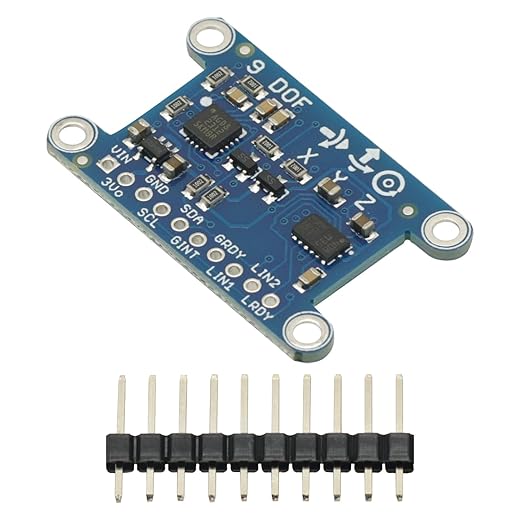
For fast, robust orientation you’ll often pair gyro angular rates with the accelerometer’s gravity vector using a complementary filter: high‑pass the gyro (short-term dynamics) and low‑pass the accel (long-term gravity). This corrects gyro drift with a simple weight (α) you can tune live — higher α favors responsiveness, lower α favors stability. On a watch this gives smooth wrist rotation with <50 ms latency.
Pose & altitude: extended Kalman filters (EKF)
Use an EKF when you need pose/altitude estimates that combine IMU, barometer, and optional GNSS. Model system dynamics (IMU-driven kinematics) in the prediction step and fuse baro/GNSS in updates. Key levers: process noise (model confidence) and measurement noise (sensor trust). Practical tip: initialize covariance conservatively to avoid filter divergence after cold starts.
Heuristics: step detection & elevation change
Simple, efficient heuristics still win on watches: peak detection + adaptive thresholds for steps; pair detected step counts with step-height priors to interpret short baro excursions as stairs. When GNSS is present, use it to resolve long-term baro bias.
Practical algorithm concerns
- Synchronize timestamps (hardware interrupts or timestamp correction) to avoid phase errors.
- Resample or use asynchronous update EKFs for different sample rates.
- Implement outlier rejection (chi-square gating) and sensor health checks (saturation, temp drift).
Trade-offs on smartwatch MCUs
You’ll balance compute vs accuracy: complementary filters ≈ low CPU, low latency; EKFs ≈ higher accuracy, ~5–20× more CPU. Choose algorithm depth to fit MCU (e.g., nRF52840 vs Cortex-M0) and battery budget—optimize by dynamic algorithm switching (simple heuristics during idle, EKF during activity).
Optimization Best Practices: Calibration, Power, and Testing for Reliable Data
Calibration: factory vs. in-field
Factory calibration gives you initial bias/scale but you must perform in-field routines to handle mounting and temperature. Implement:
- Bias estimation: static averaging when device is still.
- Scale matrix: multi-orientation turns or six-point accel method.
- Temperature compensation: log temp vs. bias and apply lookup or linear correction.
Sampling rates & duty-cycling
Pick rates by use case:
- Gesture recognition: 100–400 Hz (gesture libraries often require 200 Hz).
- Sports / activity tracking: 50–100 Hz.
- Step counting / daily tracking: 25–50 Hz.
- Barometer altimetry: 1–10 Hz (higher for stair detection).
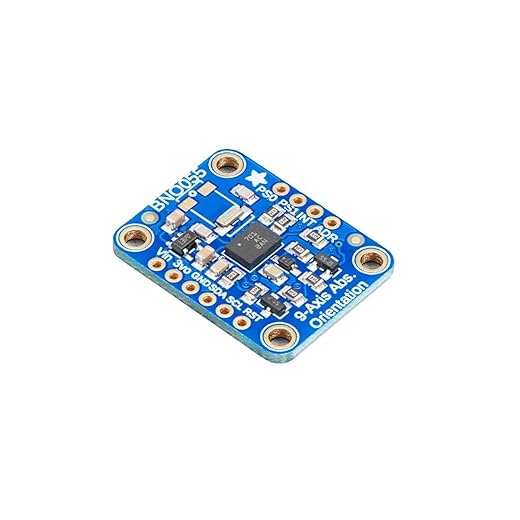
Use FIFO, batching, and wake-on-motion to duty-cycle sensors. Example pattern: 100 Hz during active window (30 s), then 25 Hz background with FIFO flush every minute.
On-device filtering choices
IIR (biquad) is CPU- and memory-efficient, low-latency—good for real-time orientation. FIR gives linear phase and predictable group delay—better for post-processing or ML inputs. Always anti-alias before decimation; decimate by integer factors and apply an efficient low-pass (e.g., 3–5 tap FIR) if downsampling on MCU.
Simple calibration checks & firmware patterns
Quick user checks:
- Place watch flat for 30s to verify accel Z ≈ ±1g.
- Perform slow 360° wrist turns to validate gyro scale.
- Step up a known stair to confirm baro delta ~0.3 m per flight.
Dynamically switch sensor configs by activity state: idle → low-rate FIFO; walking → accel 50 Hz + baro 5 Hz; sport → IMU 100+ Hz + sensor fusion.
Testing procedures & metrics
Use a shaker or turntable for IMU, and controlled elevation steps (elevator/stairs) for baro. Log:
- Power consumption (mW)
- Timestamp jitter (µs–ms)
- False positive/negative rates for events
- Calibration drift over temp
These practices prepare your firmware for reliable, power-efficient sensing before you choose and tune sensors in the Conclusion.
Choosing and Tuning Sensors for Your Goals
Pick accelerometers for motion and impacts, gyros for precise orientation and gestures, and altimeters for elevation when corrected for weather.
Always fuse sensors, calibrate regularly, and use power‑aware algorithms to balance accuracy, responsiveness, and battery life. Test under real conditions, iterate thresholds, and document settings to meet your product goals consistently and quickly.
