

Do you pick blistering pro power or ultra-portable efficiency — which Mac will actually speed up your workflow (and which will mostly just look good on your desk)?
You need a Mac that balances _mobility with muscle_. This guide compares the 2022 M2 MacBook Air (13″, 8GB/256GB, renewed) and the 2025 M5 MacBook Pro (14.2″, 16GB/512GB) so you can choose based on workflow, budget, and future needs confidently.
Everyday Portable

8.3
You get a highly portable, well-rounded laptop that covers most everyday and creative tasks without fuss. It’s ideal if you prioritize mobility, a sharp screen, and good battery life over sustained pro-level performance.
Pro Performance

9.2
You’ll get pro-class performance and a display built for demanding creative work and AI-accelerated tasks. It’s best if you need sustained throughput, expanded ports, and an XDR panel rather than absolute maximum portability.
MacBook Air M2
- Performance – 7.8
- Battery Life – 8.6
- Display & Multimedia – 8.3
- Portability & Build – 9
- Value – 7.8
MacBook Pro M5
- Performance – 9.6
- Battery Life – 9
- Display & Multimedia – 9.8
- Portability & Build – 8
- Value – 9.6
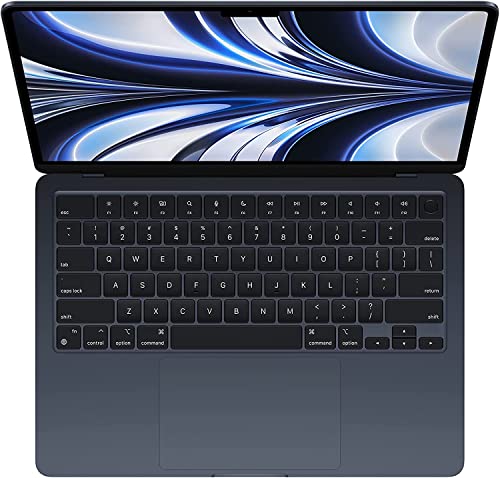
MacBook Air M2
Pros
- Very thin and lightweight for travel and daily carry
- Quiet, efficient M2 silicon for everyday multitasking and light creative work
- Bright Liquid Retina display and improved 1080p webcam
- Long battery life for all-day use
MacBook Pro M5
Pros
- Significantly faster M5 silicon with strong on-device AI acceleration
- Class-leading Liquid Retina XDR display with extreme brightness and contrast
- Full pro I/O (MagSafe, 3× Thunderbolt 4, HDMI, SDXC) and support for multiple external displays
- Robust speakers, 12MP Center Stage camera, and excellent sustained performance
MacBook Air M2
Cons
- Limited ports compared with pro models
- Thermals limit sustained heavy workloads (fanless design)
MacBook Pro M5
Cons
- Heavier and less pocketable than the Air
- Higher starting price compared with entry laptops
Performance and hardware: chips, memory, and sustained speed
Silicon and core counts
The M2 Air (2022) is built for efficiency: an 8‑core CPU and up to a 10‑core GPU that favor low power and quick single‑thread responsiveness for everyday apps and light creative work.
The M5 Pro (2025) brings a 10‑core CPU and 10‑core GPU with a Neural Accelerator integrated into cores and explicit Apple Intelligence features — designed to scale across many threads and accelerate on‑device AI workloads. You’ll feel the difference when compiling, rendering, or running ML tasks: the M5 keeps more cores active longer.
Memory, storage, and real workflows
8GB unified memory on the M2 Air is fine for web, documents, light Photoshop/CapCut edits, and several browser tabs. 16GB on the M5 Pro matters for large timelines, VMs, big RAW photo libraries, and heavy multitasking. Similarly, 256GB SSD on the Air forces you to offload or rely on external storage; 512GB on the Pro gives breathing room for projects and caches.


Thermals, sustained speed, and benchmarks
Fanless Air = silent, excellent burst performance, but throttles under prolonged loads. Active‑cooled Pro sustains higher clocks. Expect the Air to shine in single‑thread snappiness and light GPU tasks; expect the M5 to dominate multi‑thread compiles, GPU rendering, and ML inference/Apple Intelligence workloads.
Who this favors
- Choose M2 Air: student, casual creative, daily office work, travel-focused.
- Choose M5 Pro: pro developer, video editor, heavy multitasker, on‑device AI user.
Feature Comparison
| Features | MacBook Air M2 | MacBook Pro M5 |
|---|---|---|
| Chip | Apple M2 | Apple M5 |
| CPU cores | 8-core CPU | 10-core CPU |
| GPU cores | Up to 10-core GPU | 10-core GPU |
| Unified memory (default) | 8GB (configurable) | 16GB (configurable) |
| Storage (base) | 256GB SSD | 512GB SSD |
| Display size & type | 13.6-inch Liquid Retina | 14.2-inch Liquid Retina XDR |
| Display resolution | 2560 x 1664 | Liquid Retina XDR (high-res professional panel) |
| Max brightness / HDR | ≈500 nits, P3 wide color | Up to 1600 nits peak, XDR HDR support |
| Ports | MagSafe, 2× Thunderbolt / USB‑C, 3.5mm jack | MagSafe 3, 3× Thunderbolt 4, HDMI, SDXC, 3.5mm |
| External display support | Single external display | Up to two external displays |
| Battery life (rated) | Up to ~15 hours mixed use | All-day use; excellent battery management for pro workflows |
| Weight | 2.7 pounds | 3.41 pounds |
| Dimensions (L×W×H) | 11.97 × 8.46 × 0.44 inches | 12.31 × 8.71 × 0.61 inches |
| Webcam | 1080p FaceTime HD | 12MP Center Stage |
| Speakers & mics | 4-speaker system, 3-mic array, Spatial Audio | 6-speaker system, studio-quality mics, Dolby Atmos support |
| Charging | MagSafe charging (lower-watt adapter typical) | MagSafe 3 with higher-watt fast charging options |
| Neural/AI acceleration | On‑device Neural Engine (M2) | Neural Accelerator integrated into M5 cores for on-device AI |
| Starting price | $$ | $$$ |
Display, battery, and portability: what you’ll notice daily
Display differences
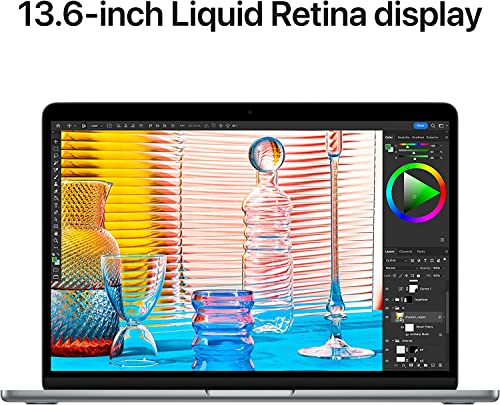
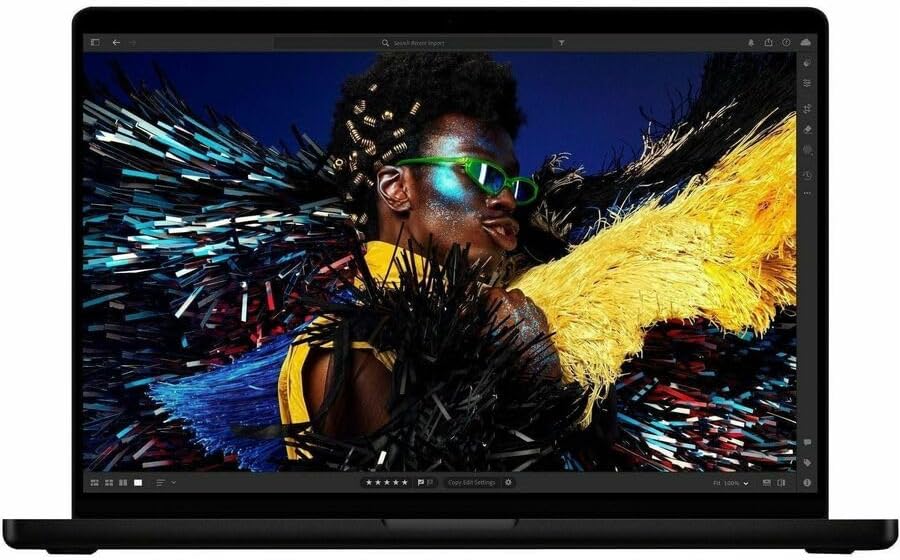
The Air uses the redesigned 13.6″ Liquid Retina (~500 nits, P3) and nails color for photos and video on the go. The 14.2″ MacBook Pro’s Liquid Retina XDR pushes far brighter (up to 1600 nits peak, ~1000 nits sustained) and much higher contrast for HDR grading, color-critical work, and bright‑sun outdoor shots. You’ll prefer the Pro for accurate color and HDR playback; the Air is excellent for everyday media.
Webcam, speakers, and keyboard
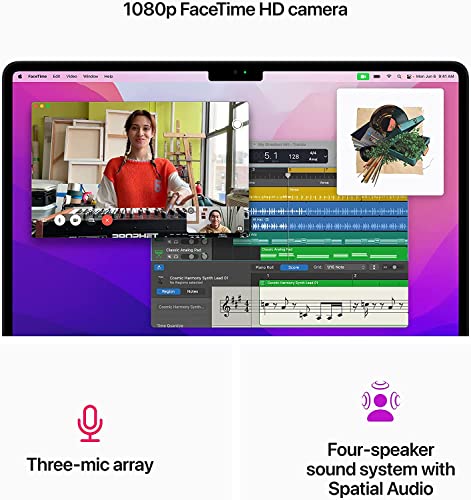
The Air has a 1080p FaceTime HD camera, three mics and a four‑speaker Spatial Audio setup — clear for meetings. The Pro upgrades to a 12MP Center Stage camera, three studio mics and six speakers with Dolby Atmos support, so calls and media feel more “produced.” Both use Apple’s Magic Keyboard; the Pro’s thicker chassis gives a slightly firmer feel under the keys.

Battery life and daily use
Light web/mobile work (browser, chats, streaming) favors the M2 Air’s efficiency and longer practical runtime (Apple lists ~12+ hours). The M5 Pro can still do all‑day office work, but sustained compiling, rendering, or export tasks will drain it faster — it also accepts higher‑watt adapters and charges quicker when plugged in.
Portability and ports
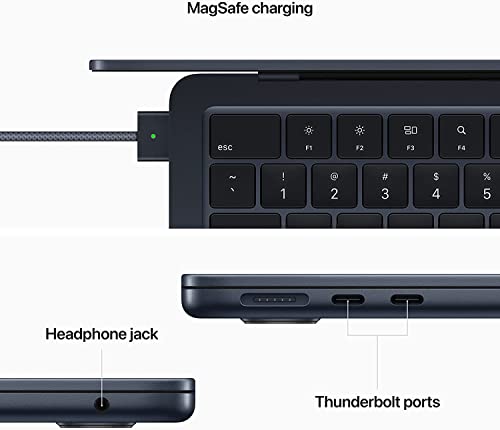
- Air: 2× Thunderbolt, MagSafe, headphone jack; 2.7 lb, 0.44″ thin — very pocketable for commuting.
- Pro: 3× Thunderbolt 4, MagSafe 3, HDMI, SDXC, headphone jack; 3.41 lb, 0.61″ thick — less pocketable but far more I/O for external monitors and pro workflows.
Value, connectivity, and ownership: pricing, renewed tradeoffs, and futureproofing
Pricing and renewed tradeoffs
The renewed M2 Air (about $589) gives the lowest up‑front cost; the M5 Pro (~$1,349) costs more but includes 16GB/512GB and Apple Intelligence hardware. With a renewed M2 you must inspect seller warranty, battery cycle count, and cosmetic grade before buying — look for Amazon Renewed guarantees, a visible cycle count, and a high seller rating.
- Renewed checklist: confirm battery cycle count, return window, cosmetic grade (A/B), included charger, and seller rating.

Ports and expansion
If you connect external monitors or pro gear, the 14.2″ M5 Pro wins: three Thunderbolt 4 ports (more PCIe/Thunderbolt lanes), MagSafe 3, HDMI, and SDXC — useful for multi‑display setups, fast capture cards, and direct media ingest. The M2 Air’s two Thunderbolt ports and MagSafe are fine for single external displays or occasional dongle use.
Upgrade limits, resale, and software longevity
You cannot upgrade unified memory or internal SSD later — buy the RAM and storage you need now. Resale: newer M5 Pros typically retain value longer. On software support, each M‑series generation extends macOS support windows; M5 being newer means longer practical OS and security updates.
Pragmatic buying rules
If you prioritize budget and light web/apps, take the renewed M2 Air. If you need headroom for pro apps, color accuracy, or multi‑display workflows, invest in the M5 Pro for longer life and better connectivity.
Final Verdict — Which Mac Fits Your Needs
The M5 Pro is the clear winner for sustained performance, premium display, more RAM/storage, and longer futureproofing—choose it if you run pro apps or want longevity.
Opt for the renewed M2 Air only if you prioritize the lightest, most cost-efficient daily driver and can accept limitations in heavy workloads. Decide now.
