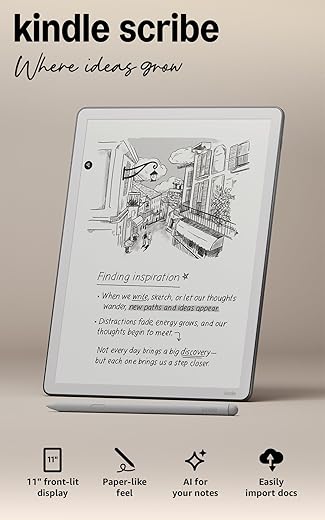

Why we think this Paperwhite is the perfect pocket library.
We love getting lost in a good book — until glare, a heavy stack of paperbacks, or a dying battery drags us back to reality. Enter Amazon Kindle Paperwhite 16GB (newest model): a 7-inch glare-free display with snappy page turns and weeks of battery life that actually keep us reading instead of fiddling with settings.
In daily use it hits a sweet spot between screen real estate and portability: crisp text, adjustable warm light, waterproofing for worry-free poolside reading, USB-C charging, and enough storage for thousands of titles. It’s not flawless — we miss physical page-turn buttons and it lives squarely in Amazon’s ecosystem — but for most of us it’s a clear, practical upgrade.
Kindle Paperwhite 16GB — 7" Glare-Free Display

We think this Paperwhite strikes an excellent balance between screen real estate and portability, making it a top pick for readers who want a near-paper experience without carrying a stack of books. Its faster page turns and long battery life keep us reading longer with minimal interruptions.
Overview
We approach e-readers looking for a single thing above all: how comfortable and distraction-free the reading experience is. This 16GB Paperwhite refines that promise by expanding the screen to a 7″ glare-free panel, boosting internal responsiveness, and extending the practical battery life so that long reading stretches feel effortless. Over the weeks we’ve used it, the device has consistently delivered a focused reading environment with tactile simplicity and modern conveniences packed into a slim chassis.
Quick specs snapshot
| Feature | What to expect |
|---|---|
| Display | 7″ Paperwhite, 300 ppi, adjustable warmth |
| Storage | 16GB (thousands of titles + audiobooks) |
| Charging | USB-C |
| Battery | Up to 12 weeks (varies by use) |
| Durability | Waterproof (IPX8) |

Design and Handling
The design language here favors subtlety: a matte black exterior, minimal buttons, and a thin profile that slips into most bags and larger pockets. We appreciate the balance of weight and sturdiness — it feels substantial without being heavy, which is key when holding it for hours in one hand.
We also noticed the ergonomic choices Amazon made: rounded edges, a matte bezel that reduces glare from ambient light, and a glass front that sits flush with the frame. The lack of many external controls keeps the silhouette clean but does force us to rely on touch gestures for page turns and navigation.
Display and Reading Experience
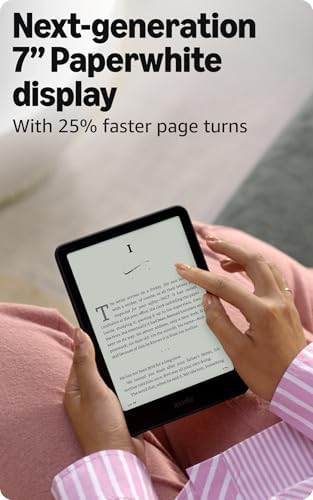
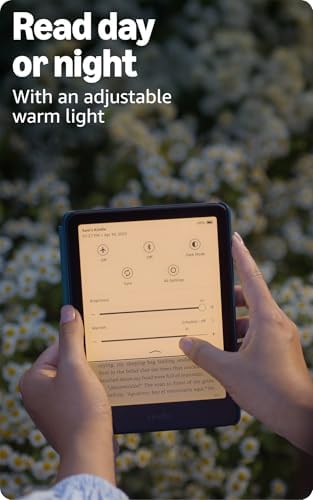
Reading is where this device earns most of its praise. The 7″ display increases the visible area enough to mimic a trade paperback page while keeping the device compact. The increased contrast and 300 ppi density render text with remarkable clarity, and the adjustable warm light is a subtle but valuable comfort feature for evening reading.
What we liked about the display in real use:


Performance, Software, and Battery
Under the hood, the device benefits from faster page turns and a more responsive UI than older generations. Menus open quicker, searching a title in our library is less laggy, and switching between books feels smoother. The software remains deliberately limited to reading-focused features — a feature, not a bug — removing distractions like social apps.
Battery life is where the Paperwhite reinforces its reader-first mission: Amazon’s claim of up to 12 weeks is realistic in low-to-moderate usage scenarios (light levels, Wi-Fi off, daily reading). Heavy use with frequent wireless downloads or extended Audible playback will reduce that figure, but even then the device lasts far longer between charges than typical tablets.
Real-world battery notes:

Storage, Connectivity, and Extras
With 16GB of internal storage, we didn’t worry about juggling titles. That capacity comfortably holds thousands of text-only books and a notable number of audiobooks. USB-C charging is a welcome modernization — it charges faster and uses cables we already have for other devices.
Who this is best for
We recommend this model to readers who want a larger-than-basic Kindle without stepping up to a tablet. If you value long battery life, a very readable display in any lighting, and a lightweight device that mucks as little as possible with the act of reading, this is a top choice. Serious audiobook listeners will find the storage and Bluetooth support handy, though audiobooks will noticeably impact battery life compared with text-only use.
Final thoughts
We find the 16GB Paperwhite to be a thoughtful evolution of the Kindle formula: it doesn’t chase frills, but it does polish the essentials. The larger, glare-free 7″ display and performance gains make long sessions — whether on a commute, at the beach, or late at night — more enjoyable. If your reading habits lean toward quantity and comfort, this device will likely become our go-to travel and bedside companion.
FAQ
In our experience, battery life depends heavily on settings and usage. With Wi‑Fi off, moderate brightness, and mostly text reading, a single charge can last several weeks of daily reading. Frequent downloads, heavy use of Wi‑Fi, or long audiobook playback will reduce that time — audiobooks in particular consume power faster.
For pure text readers, 16GB is more than enough — it can store thousands of novels. The extra room is most valuable if you keep large audiobook files, PDFs with images, or a very large personal library. We prefer the peace of mind 16GB offers: no constant juggling or deleting.
Yes. Most major public libraries support Kindle book loans via the library’s lending system or by sending compatible files through your Amazon account. It’s convenient to borrow titles and have them appear directly on the device — we frequently use this feature for new releases and sample reads.
The glare-free Paperwhite screen is exceptional in bright sunlight — it reads much like matte paper when viewed outdoors. We found shade reduced the need to adjust brightness, and on very bright days, the higher contrast settings kept text readable without reflections interfering.
While the device is built to feel sturdy and has some flexibility, a case is a small investment for drop protection and better ergonomics. We use a folio-style case for one-handed reading and extra screen protection when tossing the device into a bag.
The 7″ screen handles PDFs better than smaller e-readers because of the extra real estate, but PDFs with complex layouts or two-column pages can still require zooming and panning. For heavy PDF use, we recommend adjusting margin and font settings or converting files to Kindle-friendly formats when possible.
Author

Like this deal? Get deals like this every week.